
Translate - Translator
ZANKHANA PTE LTDProductivity
4.71.30K Reviews
- Version
- 1.3.1
- Installs
- 10.00M
- Age Rating
- Everyone
Screenshots
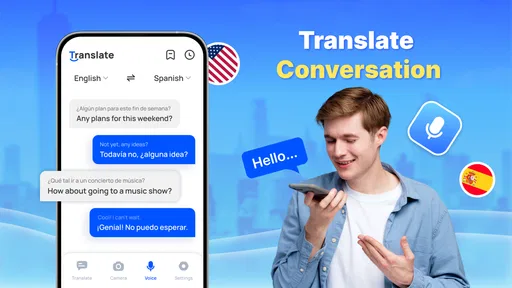
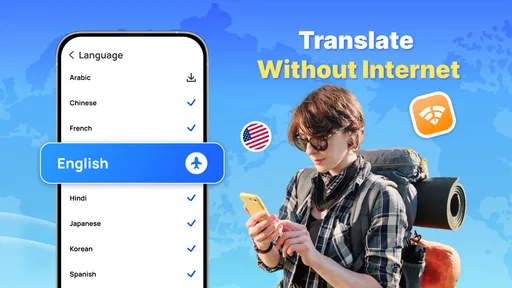
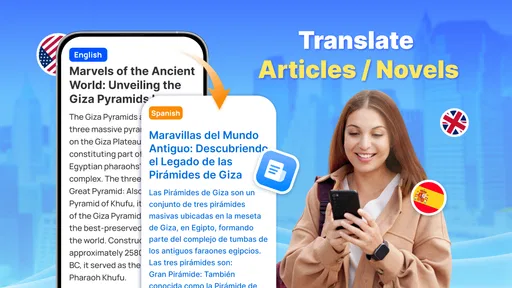
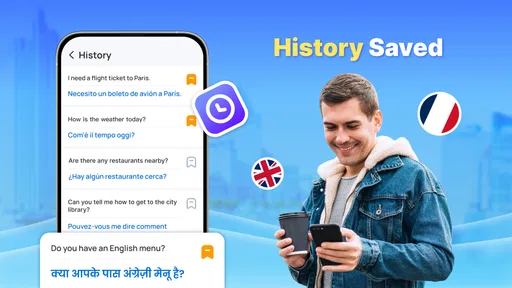
Our Review of Translate - Translator
 Analysis by Appyee
When a translation app is used by more than one person at home, the important question is not only whether it can convert a sentence from one language to another. It also needs to be quick enough for everyday interruptions, simple enough for different ages, and flexible enough for text, speech, and images. After using Translate - Translator in that kind of setting, I found it most useful as a practical language helper rather than as a complete replacement for a professional translator.
The app comes from ZANKHANA PTE LTD and sits in the productivity category. It is free to install, carries an Everyone age rating, and has built a strong audience with a 4.7 average from around 43 thousand ratings. That popularity makes sense once you use it for small household tasks: checking a message, understanding a label, or preparing a short reply without opening a browser and moving between several services.
How Translate - Translator fits into a shared household
A realistic example is a family preparing for travel while one person handles bookings, another checks directions, and someone else receives messages from a host or service provider. One member may type comfortably, another may prefer speaking, and a child may simply point the camera at a sign. Having text, voice, and photo translation in one place reduces the need to explain which tool to open each time.
I also found the photo option particularly helpful for shared use. A person who does not know how to type a foreign word can photograph a menu, package, notice, or instruction and work from there. This is different from asking the most confident language user in the home to translate everything. It gives each person a way to investigate a phrase independently, even if the result still needs a quick human check.
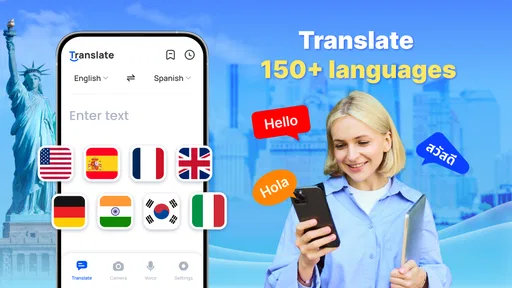
The language range is one of the app’s clearest strengths. It supports more than 150 languages, which makes it suitable for households with multilingual relatives, international visitors, or changing travel plans. That breadth is more useful than a polished interface if your language pair is less common, although I would still treat unusual wording and specialized subjects carefully.
For a shared phone or tablet, the main advantage is convenience. The person holding the device can switch between a typed request, a spoken phrase, and a camera-based lookup without learning three separate workflows. The trade-off is that a single shared app does not automatically create separate personal spaces. Anyone using the device should remember that translation history, copied text, and recent activity may be visible depending on how the device and app behave together.
What the first setup tells you
The app is available at no purchase cost, so it is easy to try before deciding whether it belongs on a family device. It requires Android 8.0 or later, which is worth checking before handing an older phone to a child or relative. The current version is 1.3.0, and the straightforward approach is to install it on the device that will actually be used during conversations, errands, or travel rather than assuming every household phone needs it.
I recommend testing the exact language combinations your household uses immediately. A broad language count sounds reassuring, but translation quality can vary according to the direction, sentence structure, spelling, accent, and amount of context. Try a normal sentence, a short question, and a phrase containing a name or place. This gives you a more useful impression than translating an isolated word.
Offline use is another practical part of the app’s appeal. It can be valuable in places with weak connectivity, such as a basement, airplane, rural road, or crowded event. I would prepare before leaving rather than waiting until the moment a translation is urgent. Offline translation is best viewed as a resilience feature: it can keep a basic task moving, but it should not encourage anyone to assume that every complicated conversation will work perfectly without a connection.
There is also a sensible boundary between shared convenience and personal privacy. If several people use one device, avoid entering sensitive conversations, account recovery details, medical information, or private documents unless everyone understands who may see the screen or any saved material. The app’s purpose is language assistance, not private document management. A separate personal device is the better choice for confidential translation.
Coordinating text, speech, and camera use
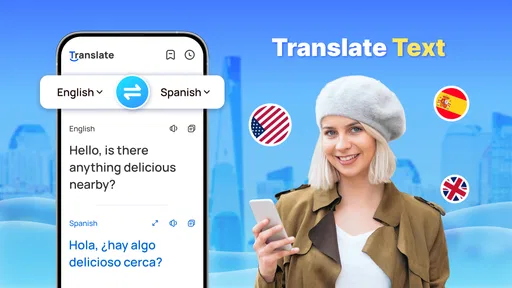
For household coordination, I prefer a simple three-step routine. First, type the phrase when accuracy and editing matter. Second, use voice when the situation is moving quickly. Third, use the camera when the information is already printed and recreating it by hand would introduce mistakes. This approach prevents people from treating one input method as universally best.
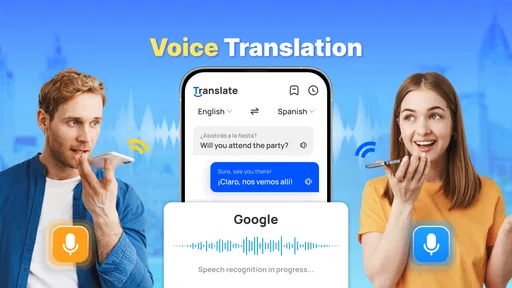
Voice translation is handy at a shop counter or while asking for directions, but I would speak in short, complete sentences and pause between ideas. Background noise, overlapping speakers, and strong accents can affect recognition. If the result sounds strange, switching to typed text is often faster than repeating the same unclear sentence several times.
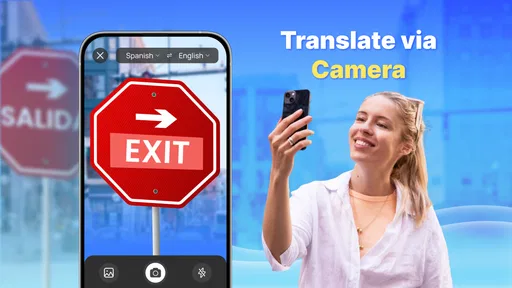
Photo translation has a different weakness: the camera needs a readable view. Curved packaging, reflective surfaces, tiny print, decorative fonts, and crowded signs can all make the output less dependable. A useful trick is to photograph one section at a time, move closer, and keep the phone steady. For a long document, I would use the result to locate important passages, then confirm the wording before acting on it.
One less obvious benefit of combining these modes is error checking. If a phrase matters, I can type it, listen to the translated voice, and compare it with the surrounding context. That does not turn the app into a certified interpreter, but it catches some problems caused by a typo or an unclear photograph. In a family setting, this also gives a less confident user a way to ask another person for confirmation without starting the entire search again.
The app is especially convenient for quick exchanges where the goal is understanding rather than elegance. A household member can translate a delivery note, a short message, or a basic question and then show the result to someone else. For formal letters, legal wording, school documents, or delicate family conversations, I would slow down and use a human who understands the context.
Age, trust, and sensible supervision
An Everyone rating makes the app approachable for general household use, and the basic idea is easy for older children to understand: choose an input method, enter or capture language, and read the result. That does not mean every translation should be trusted without discussion. Younger users may assume that a fluent-sounding sentence is automatically correct, especially when the original language is unfamiliar.
I would show children how to compare the translated sentence with the original instead of copying it blindly. Names, jokes, slang, insults, and phrases with several meanings are good examples of situations where context matters. The app can support language learning and curiosity, but it should not be treated as an authority that settles every disagreement between family members.
Trust also matters when voice and camera tools are used on a shared device. Before photographing a document or recording a phrase around other people, make sure the people involved are comfortable with it. This is less about the translation itself and more about good device habits. A family can agree that public signs and menus are fine, while private letters, school records, or personal chats stay on the owner’s device.
The free installation lowers the barrier for occasional users, but in-app purchases range from $1.99 to $64.99 per item. That makes it important to review purchase settings before giving the device to a child or leaving it unlocked during a trip. I would not assume that “free” means every capability or future use has no cost. A shared-device owner should decide who can approve purchases and explain that rule clearly.
There is no need for every relative to create a separate routine around the app. In fact, too many instructions can make a simple tool frustrating. I would teach one reliable workflow for each person: typing for the careful user, voice for the quick exchange, and photos for printed material. Then I would add the privacy and purchase boundaries separately. That keeps the learning curve manageable without pretending that the app can provide family administration.
Where it stands beside familiar alternatives
The usual alternative is a general web search or a dedicated translation service. A browser can be useful when you need surrounding explanations, examples, or a way to investigate an unfamiliar term. Translate - Translator feels more focused when the task is immediate conversion between languages, especially if you want to use speech or a photograph without building a search query first.
Another alternative is using the translation function built into a phone’s keyboard or camera. Those tools can be convenient because they appear inside apps people already use. The advantage here is having several translation methods gathered in one productivity app, which is easier to explain on a shared device. The disadvantage is that it adds another app to open, and people who already have a preferred system may not gain much from changing.
For travelers, offline capability can make this app more dependable than a browser-only routine when connectivity is uncertain. However, an offline result should not be confused with a live conversation handled by a professional interpreter. If a medical instruction, contract, immigration form, or safety warning is involved, I would use this app to get orientation and then seek a qualified human or an official translation.
The app also has a different role from language-learning software. It helps me understand and produce useful phrases, but it does not replace structured lessons, pronunciation practice, or feedback from a teacher. Someone who wants to become fluent should choose a learning platform. Someone who needs to decode a sign or form a quick reply will probably appreciate this simpler focus.
Small habits that make the results more useful
My first practical tip is to avoid translating fragments when the meaning depends on context. Instead of entering a single ambiguous word, add the surrounding sentence. This gives the translator more information and makes the output easier to judge. It is especially helpful with words that can be nouns, verbs, or polite expressions depending on how they are used.
My second tip is to keep a human review step for anything that creates a commitment. Before sending a message that confirms a booking, changes an appointment, accepts a price, or gives an instruction to a child, read the result back against the original. A fast translation is useful, but speed is not the same as certainty.
My third tip is to prepare offline material before the journey begins. Test the phrases you expect to need, check that the chosen language direction behaves as expected, and keep a backup plan such as a printed address or a trusted bilingual contact. This is more practical than discovering at a station or border crossing that the phone has no connection and the needed phrase was never tested.
A fourth useful habit is to photograph text in sections rather than trying to capture an entire wall, menu, or document in one frame. The camera tool is more likely to help when the words are large, level, and well lit. If the translation seems incomplete, changing the framing may solve the problem faster than repeating the same capture.
Finally, use the app as a bridge between people, not as a reason to avoid communication. Showing the original and translated versions together can help a relative learn a phrase and can expose an obvious mistake. In a shared household, that collaborative check is often more valuable than simply accepting the first output.
Who should use it and who should skip it
I think Translate - Translator is a good fit for households that regularly encounter more than one language, travelers who want text and speech tools in one place, and people who need quick help with signs, labels, and short messages. It is also a reasonable choice for an older family phone because the Everyone rating and focused purpose make the app easier to introduce than a large, complicated productivity suite.
I would hesitate to recommend it as the only language tool for someone handling professional documents, sensitive personal information, or high-stakes conversations. I would also skip it if a household already has a translation workflow that works well inside its preferred keyboard, camera, or communication app. Adding another tool is not automatically an improvement if the existing one is faster and trusted by everyone.
People who require strict separation between family members should think carefully before installing it on a shared device. The app may be useful for coordination, but a common device does not create individual account boundaries by itself. Use separate devices for private work, review purchase access, and agree on what may be photographed or spoken near others.
At the same time, occasional users should not be put off by the possibility of paid items. The app is free to start, and that makes it practical to test the language pairs and workflows that matter to you. The sensible approach is to try ordinary household examples first, then decide whether any optional purchase is justified by repeated use.
My household verdict
After using it as a shared language helper, I see Translate - Translator as a convenient middle ground between a browser search and a more specialized translation service. Its combination of typed, spoken, and photo-based input is genuinely useful when different people in the same home have different habits. The wide language coverage and offline orientation make it more suitable for travel and multilingual households than a tool limited to occasional typed lookups.
Its limitations are equally important. Translation still needs judgment, especially with private, formal, emotional, or safety-related material. Shared-device use also requires clear boundaries around visibility, camera use, voice input, and purchases. Those are not reasons to reject the app; they are the practical conditions that keep its convenience from becoming careless.
With more than 10 million installs, it is clearly being used at a broad scale, and the strong average rating suggests that many people find the basic experience worthwhile. I would recommend trying it on the device your household actually uses, testing a few real phrases, and preparing the needed offline workflow before travel. For quick everyday understanding, I would be happy to keep it available. For high-stakes translation or private documents, I would choose a more controlled and professionally verified option instead.
Privacy and Permissions
See what permissions an app requests and how it handles your data.
- Photos/Media/Files
- read the contents of your USB storage, modify or delete the contents of your USB storage
- Storage
- read the contents of your USB storage, modify or delete the contents of your USB storage
- Camera
- take pictures and videos
- Other
- view network connections, full network access, draw over other apps, control vibration, prevent device from sleeping
Verdict
Strengths of Translate - Translator
- Supports many languages for everyday translation needs.
- Simple interface makes common translations quick to access.
- Useful for translating short phrases while traveling.
- Can help users understand unfamiliar words and expressions.
- Convenient for checking translations without opening a browser.
Limitations of Translate - Translator
- Translation quality can vary depending on the language pair.
- Context, slang, and humor may not translate accurately.
- Some features may require an internet connection.
- Voice translation can struggle in noisy surroundings.
- Privacy details may depend on the app’s data and permission settings.
Other Releases by ZANKHANA PTE LTD
View All
Volume Bass Booster, Equalizer
Music & Audio4.7
Similar Picks in This Category
View All
Google Calendar
Google LLC4.6

Google Drive
Google LLC4.3

Google Assistant
Google LLC3.9

Microsoft OneDrive
Microsoft Corporation4.6

Samsung Calendar
Samsung Electronics Co., Ltd.4.1

Microsoft OneNote: Save Notes
Microsoft Corporation4.6
Frequently Asked Questions
What is Translate - Translator and what can I use it for?
Translate - Translator is designed to help users convert words, phrases, and longer passages between different languages. It can be useful while traveling, studying, communicating with international contacts, or understanding foreign websites and messages. Depending on the version installed, it may also include features such as text recognition, voice input, pronunciation support, conversation translation, or translation from copied text and images.
How accurate are the translations in Translate - Translator?
The app generally provides useful translations for everyday sentences, common expressions, and simple communication. However, results can vary depending on the language pair, sentence structure, spelling, slang, and context. It should not be treated as a perfect replacement for a professional translator, especially for legal, medical, academic, or business documents. Reviewing important translations manually is recommended before sharing or relying on them.
Does Translate - Translator work without an internet connection?
Offline functionality depends on the specific version of Translate - Translator and the language packs it supports. Some translation tools require an active internet connection because processing takes place online, while others allow selected languages to be downloaded for offline use. Before traveling or using the app in areas with limited coverage, check its settings and download any available offline language data in advance.
Is Translate - Translator free to download and use?
Translate - Translator may be available as a free download, but the exact features offered without payment can differ by platform and version. Free use may include limits, advertisements, or access to only basic translation tools, while subscriptions or in-app purchases can unlock additional languages, camera translation, voice features, ad removal, or higher usage limits. Always review the store listing and pricing before subscribing.
Does Translate - Translator protect my privacy when I submit text or voice recordings?
Privacy practices can vary according to the developer, operating system, and translation service used by the app. Text, voice recordings, images, or copied content may be sent to online servers to produce a translation. Before using the application with confidential information, read its privacy policy and check the permissions it requests, particularly microphone, camera, photos, and network access. Avoid submitting sensitive personal or business data unless you understand how it is handled.
